 Parrot Cart plugins
Plugins for your Parrot Cart
Emulators, utilities and more for Parrot Cart, the ColecoVision flash cartridge.
/PLUGINSWhat is Parrot Cart?
More than a flash cart.
It’s a flash cartridge for the ColecoVision that plays your games and movies from a microSD card. It also runs plugins, which are programs that turn the console into something new.
The hardware
- Chip
- A Raspberry Pi RP2350, the chip in the Pico 2, with two Arm Cortex-M33 cores at 150 MHz. One core talks to the console, and the other runs the plugin.
- Memory
- 520 KB of RAM on the chip, plus 8 MB of PSRAM.
- Flash
- 16 MB. A plugin runs from RAM or straight from flash.
- Storage
- A microSD card holds your games, movies, plugins and saves.
- USB‑C
- Gamepads, keyboards, mice and MIDI keyboards plug in through a powered hub. If you plug the cart into a computer instead, a plugin can send music to it as MIDI.
- The console
- Plugins use the ColecoVision’s TMS9918A video chip for the picture and its SN76489 sound chip for sound.
- Plugins
- .CVP files up to 2 MB less 4K, written in C with the Raspberry Pi Pico SDK, or in Lua.
Browse plugins
| Plugin | ID | Opens | Version | Size |
|---|---|---|---|---|
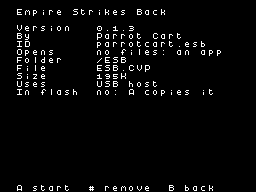 Empire Strikes BackEmulator for the vector-based arcade sequel | parrotcart.esb | An app | 0.1.4 | 195K |
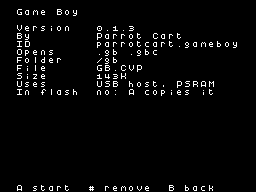 Game BoyEmulator for the handheld console | parrotcart.gameboy | .gb .gbc | 0.1.3 | 143K |
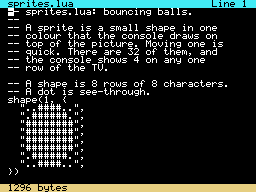 LuaWrite and run Lua programs on the console | parrotcart.lua | .lua | 0.1.4 | 253K |
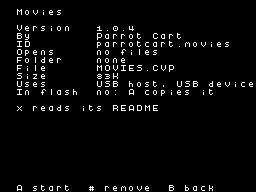 MoviesPlayer for movies made with the movie converter | parrotcart.movies | An app | 1.0.4 | 83K |
 MSXEmulator for MSX1 cartridge games | parrotcart.msx | .rom .mx1 .mx2 | 0.1.0 | 241K |
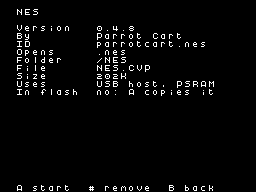 NESEmulator for Nintendo’s 8-bit console | parrotcart.nes | .nes | 0.4.8 | 202K |
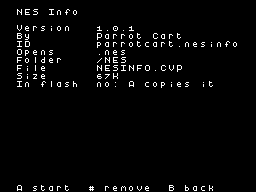 NES InfoViewer for NES ROM headers | parrotcart.nesinfo | .nes | 1.0.1 | 67K |
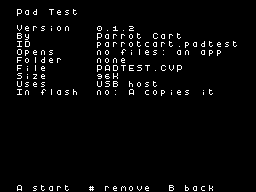 Pad TestTester for USB gamepads | parrotcart.padtest | An app | 0.1.2 | 96K |
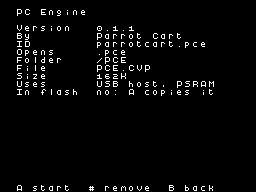 PC EngineEmulator for PC Engine and TurboGrafx-16 HuCard games | parrotcart.pce | .pce | 0.1.1 | 162K |
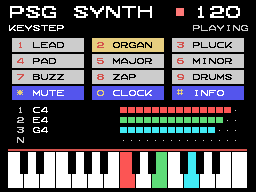 PSG SynthSynth for USB MIDI keyboards | parrotcart.psgsynth | An app | 1.0.0 | 95K |
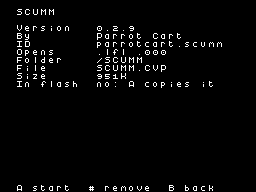 SCUMMEngine for classic point-and-click adventure games | parrotcart.scumm | .lfl .000 | 0.2.9 | 951K |
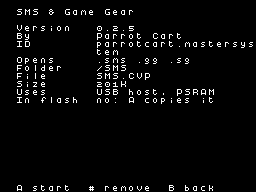 SMS & Game GearEmulator for Sega Master System and Game Gear | parrotcart.mastersystem | .sms .gg .sg | 0.2.5 | 201K |
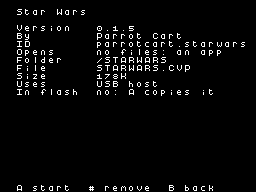 Star WarsEmulator for the vector-based arcade game | parrotcart.starwars | An app | 0.1.5 | 178K |
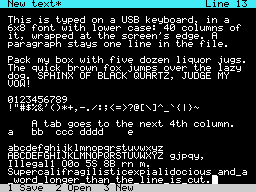 Text EditorPlain text editor for a USB keyboard | parrotcart.texteditor | .txt | 0.1.3 | 128K |
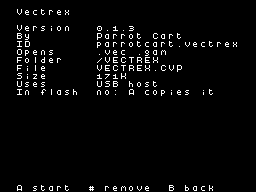 VectrexEmulator for the vector-based home console | parrotcart.vectrex | .vec .gam | 0.1.3 | 171K |
No plugins match. Try a file type like .nes, or clear the search.
How plugins work with files
The menu hides a type of file until you add a plugin that opens it.
//PLUGINS/gbNo installer. Manage your plugins on the cartridge.
Three easy steps.
Download the .CVP
You’ll find it on the plugin’s page on this site.
Copy it to /PLUGINS
That folder is on the cart’s microSD card. A folder inside it, like /PLUGINS/ARCADE, gets a row on Home.
Start it
Press B for Home, open Apps, pick the plugin and press A. A plugin that opens files starts when you open one of them.
10 flash slots keep plugins ready to start
- The first time you start oneThe cart copies it into a 1 MB slot, or two for a plugin over 1 MB. That only happens once for each version.
- A new versionIt goes into the old version’s slot.
- When every slot is fullThe next plugin replaces the one copied longest ago.
- Removing a pluginThat frees up the plugin’s slot.
Add your plugin by submitting a GitHub issue in the registry.
We’ll check your release and list it here.