 Parrot Cart plugins
MSX.CVPOn the TV
These are the author’s screenshots, shown pixel for pixel.
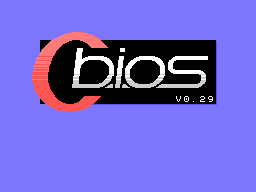
256 × 192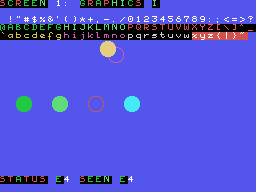
256 × 192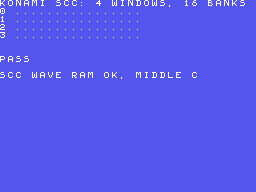
256 × 192README on the cart
This is what the cart shows for this plugin. It’s 224 lines long and 30 characters wide.
4,953 bytesPlain text
MSX

This plugin plays MSX1
cartridge games on the
ColecoVision.

SETUP

Copy MSX.CVP into the /PLUGINS
folder on the card. Put your
MSX cartridge ROMs in /MSX, or
anywhere else on the card, and
pick one in the menu to play
it. They can keep their .rom
names: the menu tells an MSX
.rom from a ColecoVision one
by its first bytes. That needs
the cart's menu from
2026-11-19 or later. With an
older menu, rename them .mx1.

The plugin has its own BIOS,
C-BIOS, built in. To use a
real MSX1 BIOS instead, put
the 32K file at
/MSX/MSXBIOS.BIN.

A USB pad, keyboard or mouse
needs a powered hub on the
cart's USB port, because the
cart can't power them.

CONTROLS

On the ColecoVision
controller:

- The joystick is MSX joystick
  1.
- Left fire is trigger A, and
  right fire is trigger B.
- Keypad * is the space bar.
- Keypad # is F1, which pauses
  Konami's games.
- The other keypad keys are
  the number keys.
- Press RESET on the console
  to go back to the menu.

On a USB pad:

- The first pad plays along
  with the console's
  controller as joystick 1.
- The d-pad or the left stick
  is the joystick.
- The bottom face button is
  trigger A, and the right one
  is trigger B.
- The top button and Plus are
  the space bar.
- The left button and Minus
  are F1.
- A second pad is joystick 2.

A USB keyboard is the MSX
keyboard, with a US layout:

- Left Alt is GRAPH, and right
  Alt is CODE.
- Pause is STOP, and End is
  SELECT.
- F6 to F10 are SHIFT with F1
  to F5.

A USB mouse is an MSX mouse in
joystick port 1, for games
that use one.

SAVES

The few cartridges with a
battery save next to the game,
with the same name, so Hydlide
II.mx1 saves to Hydlide
II.sav. The cart writes the
file a second after the game
changes it, and when you press
RESET.

NOTES

- The plugin works out the
  cartridge type of most games
  by itself. If it gets one
  wrong, put the type in the
  file's name, in brackets:
  [ASCII8], [ASCII16],
  [KONAMI], [KONAMISCC] or
  [RTYPE], like Game
  [ASCII16].mx1.
- After RESET, the menu's note
  shows the cartridge type,
  then the frames each second.
- MSX2 games, disks, tapes,
  BASIC and MSX-MUSIC aren't
  supported.
- Games that play samples
  through the sound chip play
  without them.

CREDITS

- The Z80 core by Juergen
  Buchmueller, from MAME, free
  for non-commercial use. It
  came by way of pico-smsplus
  by Frank Hoedemakers, under
  the GPL-3.0. The source is
  at
  https://github.com/PicoPlus-
  devel/pico-smsplus
- C-BIOS 0.29 by the C-BIOS
  team, under a BSD license.
  Its notice is below. The
  source is at
  https://cbios.sourceforge.ne
  t/
- The list of cartridge types
  for games that can't be told
  apart is from openMSX's
  software database, by
  Nicolas Beyaert, the blueMSX
  team and the openMSX team.
  The source is at
  https://github.com/openMSX/o
  penMSX
- TinyUSB by Ha Thach, under
  the MIT license. The source
  is at
  https://github.com/hathach/t
  inyusb
- The plugin itself is by
  Parrot Cart. As a whole it's
  under the GPL-3.0, and it's
  free. Its full source is
  linked next to its download.

C-BIOS LICENSE

- Copyright (c) 2002-2005
  BouKiCHi. All rights
  reserved.
- Copyright (c) 2003 Reikan.
  All rights reserved.
- Copyright (c)
  2004-2006,2008-2010 Maarten
  ter Huurne. All rights
  reserved.
- Copyright (c)
  2004-2006,2008-2011 Albert
  Beevendorp. All rights
  reserved.
- Copyright (c) 2004-2005
  Patrick van Arkel. All
  rights reserved.
- Copyright (c) 2004,2010-2011
  Manuel Bilderbeek. All
  rights reserved.
- Copyright (c) 2004-2006
  Joost Yervante Damad. All
  rights reserved.
- Copyright (c) 2004-2006
  Jussi Pitkanen. All rights
  reserved.
- Copyright (c) 2004-2007 Eric
  Boon. All rights reserved.

Redistribution and use in
source and binary forms, with
or without modification, are
permitted provided that the
following conditions are met:

1. Redistributions of source
   code must retain the above
   copyright notice, this list
   of conditions and the
   following disclaimer.
2. Redistributions in binary
   form must reproduce the
   above copyright notice,
   this list of conditions and
   the following disclaimer in
   the documentation and/or
   other materials provided
   with the distribution.

THIS SOFTWARE IS PROVIDED BY
THE AUTHOR ``AS IS'' AND ANY
EXPRESS OR IMPLIED WARRANTIES,
INCLUDING, BUT NOT LIMITED TO,
THE IMPLIED WARRANTIES OF
MERCHANTABILITY AND FITNESS
FOR A PARTICULAR PURPOSE ARE
DISCLAIMED. IN NO EVENT SHALL
THE AUTHOR BE LIABLE FOR ANY
DIRECT, INDIRECT, INCIDENTAL,
SPECIAL, EXEMPLARY, OR
CONSEQUENTIAL DAMAGES
(INCLUDING, BUT NOT LIMITED
TO, PROCUREMENT OF SUBSTITUTE
GOODS OR SERVICES; LOSS OF
USE, DATA, OR PROFITS; OR
BUSINESS INTERRUPTION) HOWEVER
CAUSED AND ON ANY THEORY OF
LIABILITY, WHETHER IN
CONTRACT, STRICT LIABILITY, OR
TORT (INCLUDING NEGLIGENCE OR
OTHERWISE) ARISING IN ANY WAY
OUT OF THE USE OF THIS
SOFTWARE, EVEN IF ADVISED OF
THE POSSIBILITY OF SUCH
DAMAGE.
README
This is the README.md from release v0.1.0. Images show up as links.
MSX
This plugin plays MSX1 cartridge games on the ColecoVision.
Setup
Copy MSX.CVP into the /PLUGINS folder on the card. Put your MSX cartridge ROMs in /MSX, or anywhere else on the card, and pick one in the menu to play it. They can keep their .rom names: the menu tells an MSX .rom from a ColecoVision one by its first bytes. That needs the cart’s menu from 2026-11-19 or later. With an older menu, rename them .mx1.
The plugin has its own BIOS, C-BIOS, built in. To use a real MSX1 BIOS instead, put the 32K file at /MSX/MSXBIOS.BIN.
A USB pad, keyboard or mouse needs a powered hub on the cart’s USB port, because the cart can’t power them.
Controls
On the ColecoVision controller:
- The joystick is MSX joystick 1.
- Left fire is trigger A, and right fire is trigger B.
- Keypad * is the space bar.
- Keypad # is F1, which pauses Konami’s games.
- The other keypad keys are the number keys.
- Press RESET on the console to go back to the menu.
On a USB pad:
- The first pad plays along with the console’s controller as joystick 1.
- The d-pad or the left stick is the joystick.
- The bottom face button is trigger A, and the right one is trigger B.
- The top button and Plus are the space bar.
- The left button and Minus are F1.
- A second pad is joystick 2.
A USB keyboard is the MSX keyboard, with a US layout:
- Left Alt is GRAPH, and right Alt is CODE.
- Pause is STOP, and End is SELECT.
- F6 to F10 are SHIFT with F1 to F5.
A USB mouse is an MSX mouse in joystick port 1, for games that use one.
Saves
The few cartridges with a battery save next to the game, with the same name, so Hydlide II.mx1 saves to Hydlide II.sav. The cart writes the file a second after the game changes it, and when you press RESET.
Notes
- The plugin works out the cartridge type of most games by itself. If it gets one wrong, put the type in the file’s name, in brackets:
[ASCII8],[ASCII16],[KONAMI],[KONAMISCC]or[RTYPE], likeGame [ASCII16].mx1. - After RESET, the menu’s note shows the cartridge type, then the frames each second.
- MSX2 games, disks, tapes, BASIC and MSX-MUSIC aren’t supported.
- Games that play samples through the sound chip play without them.
Credits
- The Z80 core by Juergen Buchmueller, from MAME, free for non-commercial use. It came by way of pico-smsplus by Frank Hoedemakers, under the GPL-3.0. The source is at https://github.com/PicoPlus-devel/pico-smsplus
- C-BIOS 0.29 by the C-BIOS team, under a BSD license. Its notice is below. The source is at https://cbios.sourceforge.net/
- The list of cartridge types for games that can’t be told apart is from openMSX’s software database, by Nicolas Beyaert, the blueMSX team and the openMSX team. The source is at https://github.com/openMSX/openMSX
- TinyUSB by Ha Thach, under the MIT license. The source is at https://github.com/hathach/tinyusb
- The plugin itself is by Parrot Cart. As a whole it’s under the GPL-3.0, and it’s free. Its full source is linked next to its download.
C-BIOS license
- Copyright (c) 2002-2005 BouKiCHi. All rights reserved.
- Copyright (c) 2003 Reikan. All rights reserved.
- Copyright (c) 2004-2006,2008-2010 Maarten ter Huurne. All rights reserved.
- Copyright (c) 2004-2006,2008-2011 Albert Beevendorp. All rights reserved.
- Copyright (c) 2004-2005 Patrick van Arkel. All rights reserved.
- Copyright (c) 2004,2010-2011 Manuel Bilderbeek. All rights reserved.
- Copyright (c) 2004-2006 Joost Yervante Damad. All rights reserved.
- Copyright (c) 2004-2006 Jussi Pitkanen. All rights reserved.
- Copyright (c) 2004-2007 Eric Boon. All rights reserved.
Redistribution and use in source and binary forms, with or without modification, are permitted provided that the following conditions are met:
- Redistributions of source code must retain the above copyright notice, this list of conditions and the following disclaimer.
- Redistributions in binary form must reproduce the above copyright notice, this list of conditions and the following disclaimer in the documentation and/or other materials provided with the distribution.
THIS SOFTWARE IS PROVIDED BY THE AUTHOR ``AS IS’’ AND ANY EXPRESS OR IMPLIED WARRANTIES, INCLUDING, BUT NOT LIMITED TO, THE IMPLIED WARRANTIES OF MERCHANTABILITY AND FITNESS FOR A PARTICULAR PURPOSE ARE DISCLAIMED. IN NO EVENT SHALL THE AUTHOR BE LIABLE FOR ANY DIRECT, INDIRECT, INCIDENTAL, SPECIAL, EXEMPLARY, OR CONSEQUENTIAL DAMAGES (INCLUDING, BUT NOT LIMITED TO, PROCUREMENT OF SUBSTITUTE GOODS OR SERVICES; LOSS OF USE, DATA, OR PROFITS; OR BUSINESS INTERRUPTION) HOWEVER CAUSED AND ON ANY THEORY OF LIABILITY, WHETHER IN CONTRACT, STRICT LIABILITY, OR TORT (INCLUDING NEGLIGENCE OR OTHERWISE) ARISING IN ANY WAY OUT OF THE USE OF THIS SOFTWARE, EVEN IF ADVISED OF THE POSSIBILITY OF SUCH DAMAGE.
Build it yourself
You need the Raspberry Pi Pico SDK 2.1.1, an Arm GNU toolchain, CMake, Ninja, Python 3, sjasmplus and picotool. sjasmplus assembles the frame kernel and C-BIOS.
cmake -B build -G Ninja -DPICO_SDK_PATH=$HOME/pico-sdk
ninja -C build
This makes build/MSX.CVP. Copy it into the /PLUGINS folder on the
card.
CART-README.md is the text the cart shows on the plugin’s page. It is
the start of this README.
How it works, and the tests
docs/design.md explains how the plugin works and why the Z80 core was
picked. It also has what was measured, and what still needs checking on
a console.
The tests run on a Mac or Linux. Most need sjasmplus, and some need openMSX and MAME. They open no windows.
test/carts/run.sh            # the test carts, against openMSX
test/games/run.sh ~/msx      # a folder of your own ROMs, in the console model
test/run.sh                  # the kit's checks, with MAME
sim/test.sh                  # the same in the simulator
No ROM or BIOS image is in this repository. The test carts in
test/carts and C-BIOS are built from their source.
License
The plugin is under the GNU GPL, version 3 (LICENSE). THIRD-PARTY.md
lists the parts that came from elsewhere, and their licenses.
Release details
We read these from GitHub when the plugin was listed.
- Release
v0.1.0, 2026-11-20- Image
- 240,640 bytes, loaded into RAM
- Plugin API
1- Source
- Code at
v0.1.0 - Credits
- The Z80 core by Juergen Buchmueller, from MAME, free for non-commercial use. It came by way of pico-smsplus by Frank Hoedemakers, under the GPL-3.0. The source is at https://github.com/PicoPlus-devel/pico-smsplus; C-BIOS 0.29 by the C-BIOS team, under a BSD license. Its notice is below. The source…
- SHA-256
- 761a4b040394a86e165072d8056d8aa146f122dcd347bb6873c4e9780b1c22db
The code
Every plugin here has a public repo on GitHub, so you can read how it works.
Release notes
The newest version is first.
0.1.0
2026-11-20,
v0.1.0The first release. It plays MSX1 cartridge games with C-BIOS built in, or your own BIOS, and supports the ASCII8, ASCII16, Konami, Konami SCC and R-Type cartridges and battery saves. The ColecoVision controller, USB pads, a USB keyboard and a USB mouse all work as MSX controls.
Put it on your cart
Download MSX.CVP
The SHA-256 is above if you want to check the file.
Copy it to /PLUGINS
That folder is on the cart’s microSD card.
Put your files in /MSX
Your .rom .mx1 .mx2 files go in this folder.
Start it
Pick one of your files on the SD card and press A.